Compute Environment: Coffea-Casa
For researchers and students utilizing CMS Open Data, the computational overhead of downloading terabytes of ROOT files and configuring complex local environments can be a significant barrier. To eliminate these hurdles, this analysis is fully optimized to run on the Coffea-Casa Open Data Analysis Facility.
What is Coffea-Casa?
coffea-opendata.casa is a prototype analysis facility dedicated to CMS Open Data, hosted and maintained by the Tier-2 computing center at the University of Nebraska-Lincoln (UNL).
Built on modern cloud-native technologies, it provides a powerful, web-based interactive environment tailored specifically for High-Energy Physics (HEP) columnar analysis using the Scikit-HEP ecosystem.
Key Features
- Zero Local Setup: It provides a fully managed JupyterHub instance. You simply log in through your browser and drop immediately into a ready-to-use computational environment.
- Pre-Configured Environments: The servers come pre-loaded with Docker images containing all necessary dependencies for this analysis (
coffea,uproot,awkward,hist, etc.). You do not need to managecondaenvironments orpipinstallations. - Integrated Distributed Computing: A Dask scheduler and worker system is built directly into the facility, allowing you to instantly scale your code to process massive datasets in minutes.
Access and Authentication
Unlike the primary CMS computational grid, which requires a valid CMS VO grid certificate, the Open Data instance of Coffea-Casa is accessible to the public.
To get started, navigate to the facility's homepage and click Register for access (if it is your first time) or Sign in.
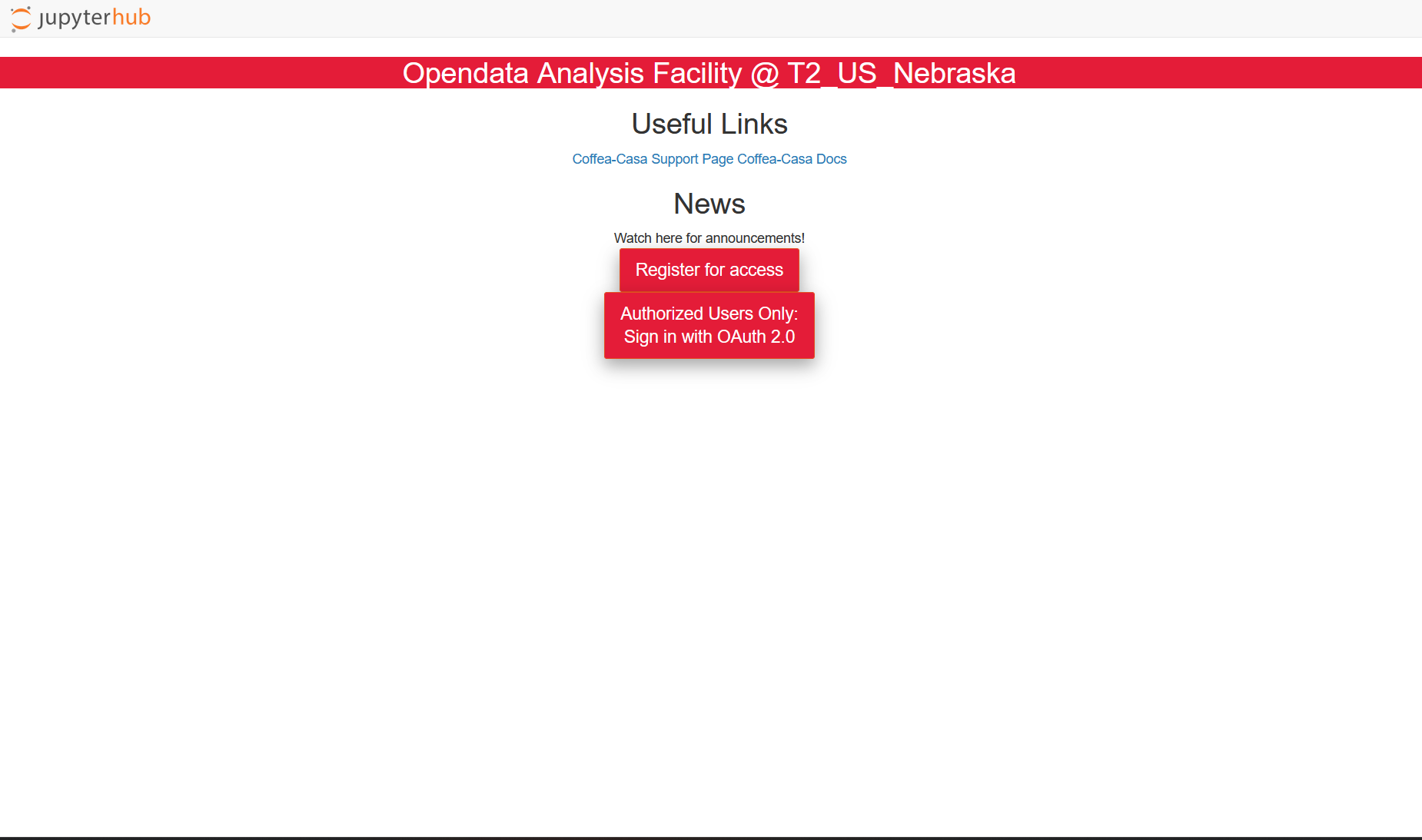
CILogon Integration
Authentication is handled entirely through CILogon. This means you can log in using your existing institutional credentials (e.g., your university email) or an authorized public identity provider like GitHub or Google. No CMS collaboration membership is required.
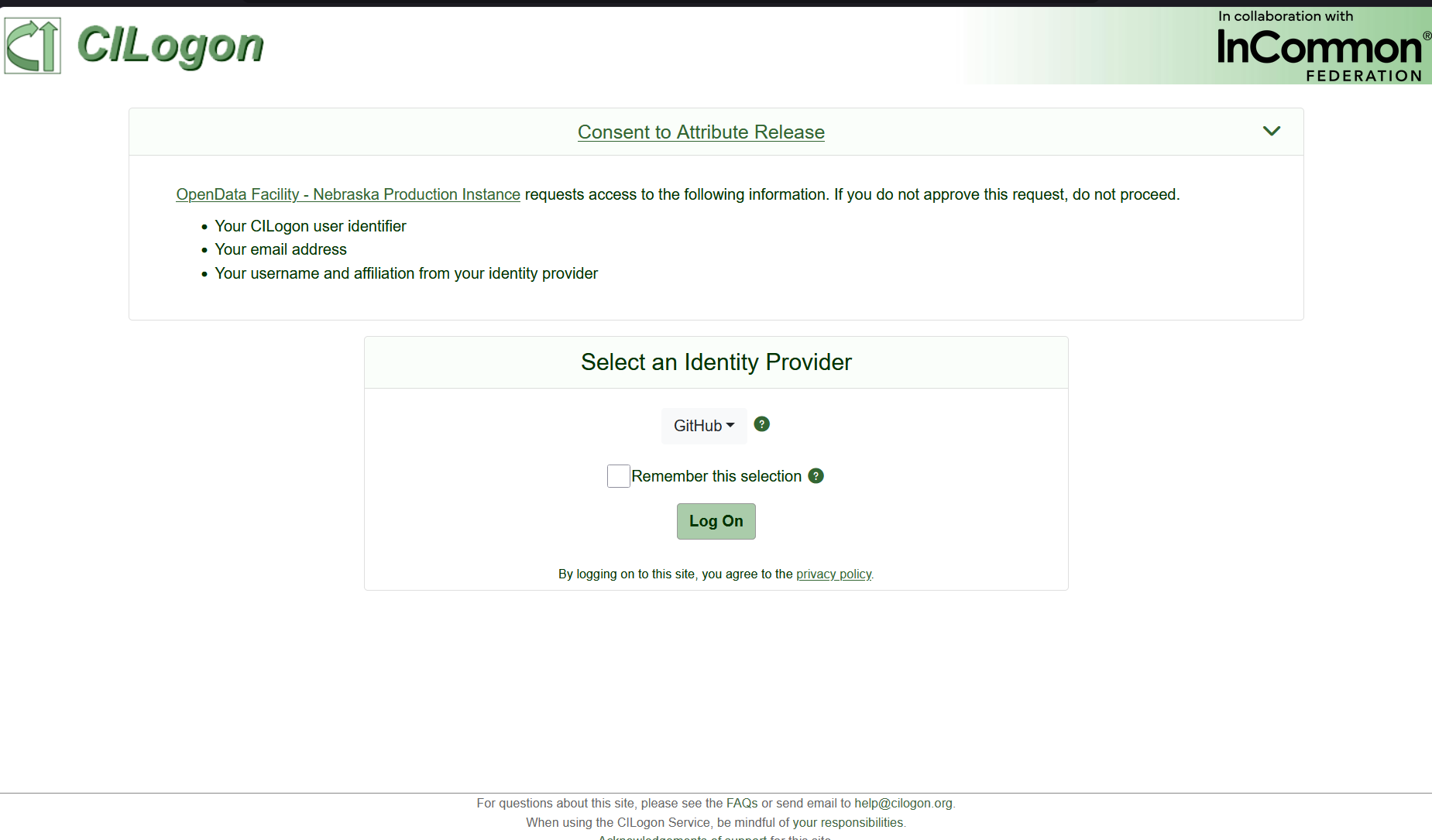
Initial Registration
While access is open, computational resources are finite. When you first log in, you may be prompted to submit a brief registration request. Once approved by the facility administrators, your CILogon identity will be granted full access.
Selecting Your Server Environment
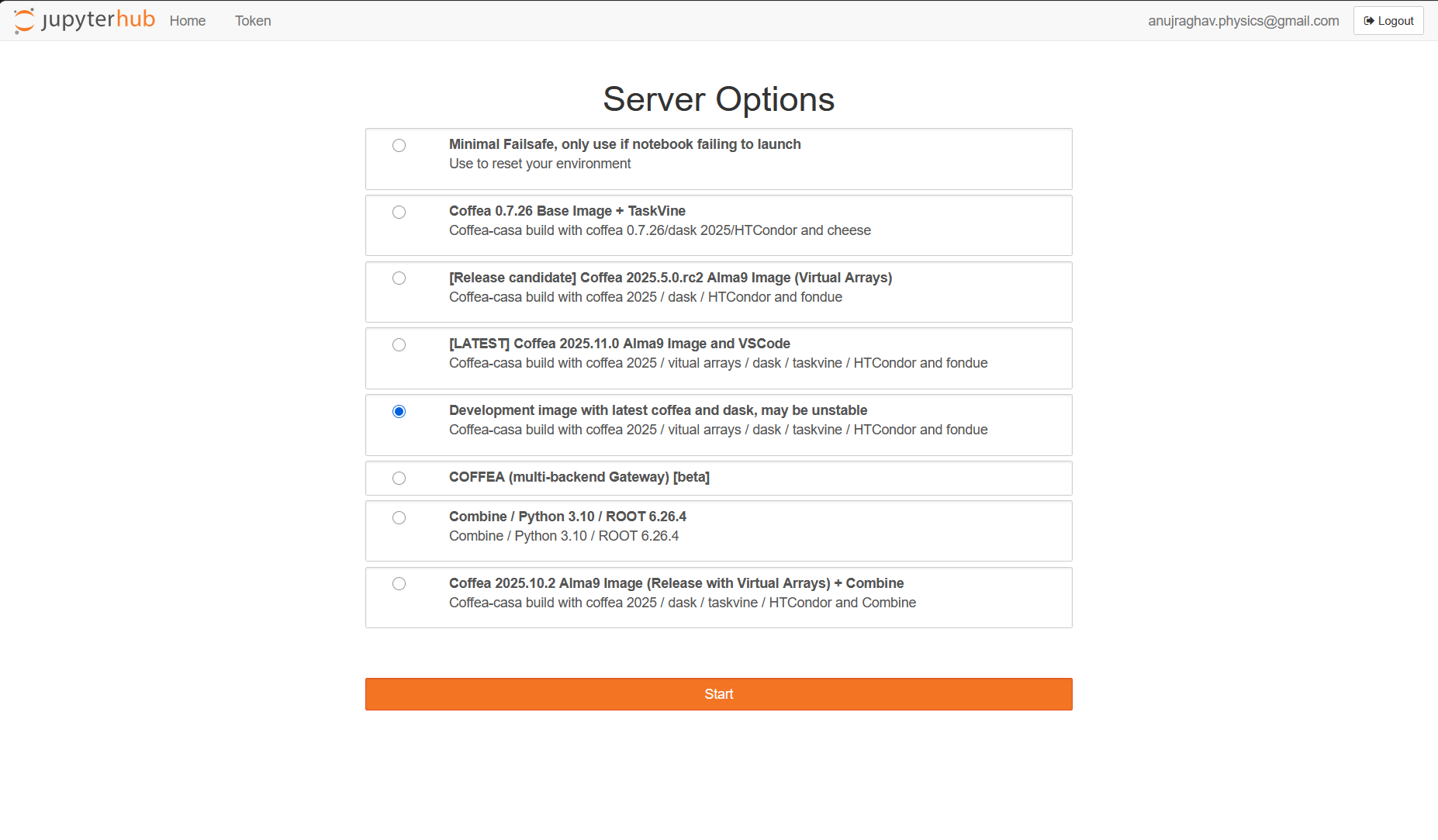
Upon successful login, JupyterHub will present you with a list of available server images. These Docker images dictate the underlying software stack for your session.
Select the image that best aligns with your analysis requirements (typically the latest stable Coffea release) and click Start.
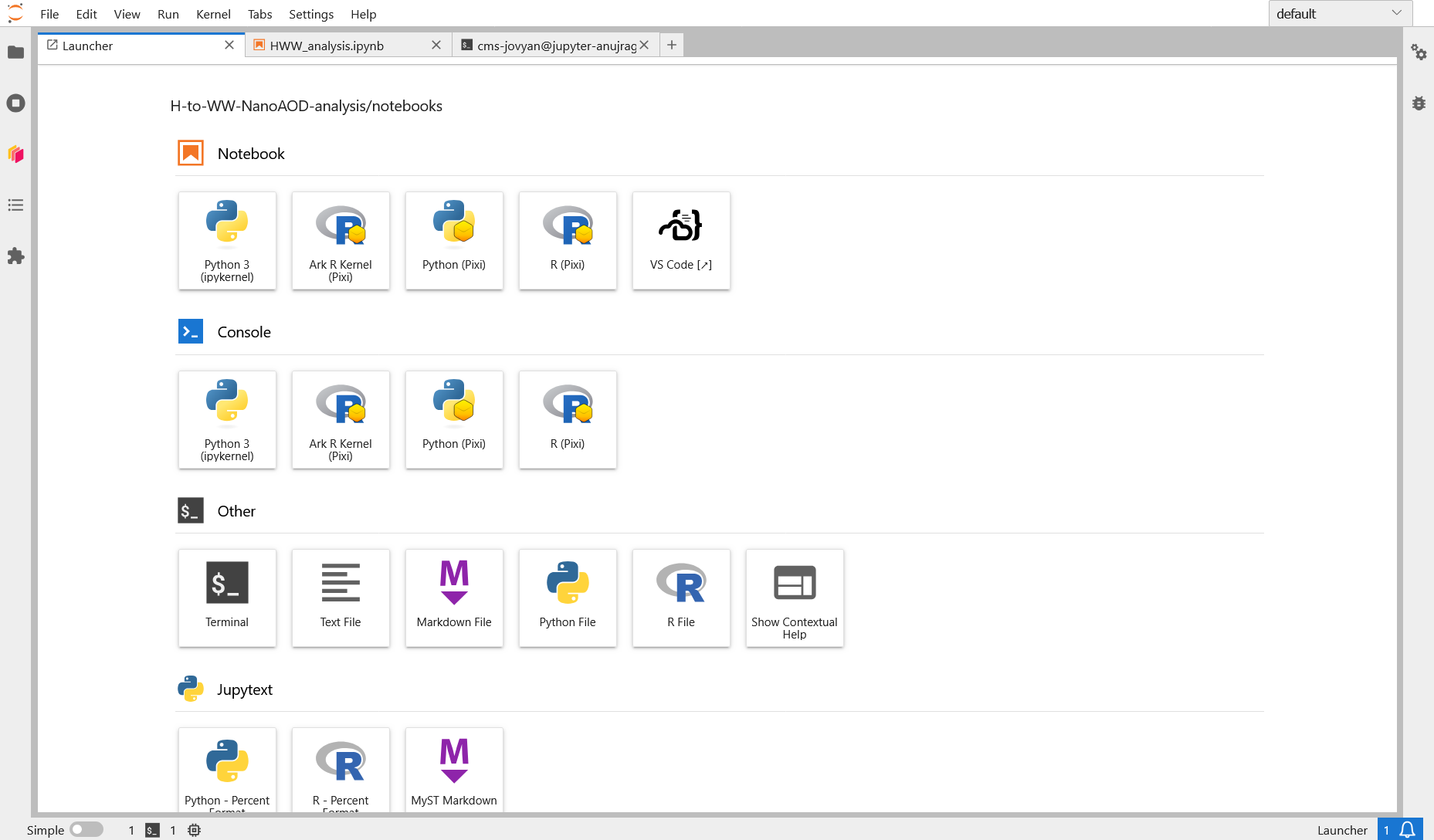
The JupyterLab Workspace & Dask
Once your server provisions, you will be placed inside a fully featured JupyterLab environment. From the Launcher, you can open notebooks, terminals, and Python consoles.
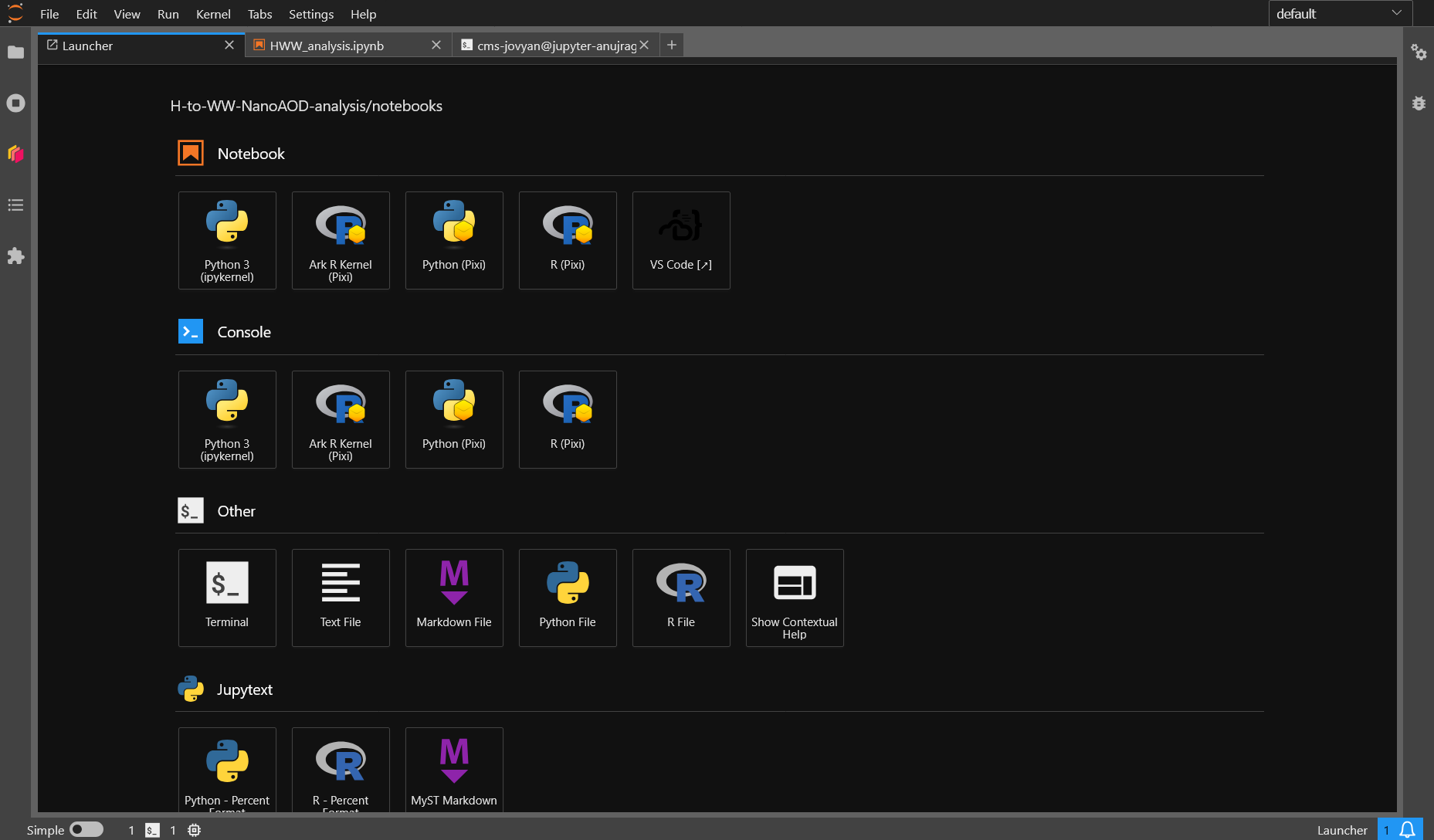
Dask on Coffea-Casa
The defining feature of this compute environment is its native integration with Dask for horizontal scaling.
A Dask Labextension is available by default in the JupyterLab sidebar (the orange Dask logo). This allows you to visually construct and manage your Dask cluster via a graphical interface.
Through the Dask dashboard, you can:
- Monitor the real-time processing of your jobs.
- Track CPU and memory utilization.
- Identify straggler tasks or bottlenecks in your analysis graph.
Because Coffea-Casa mounts the CERN EOS Open Data endpoints directly via internal caching (XCache), your Dask workers can stream the CMS NanoAOD files at exceptionally high speeds, entirely bypassing the need to download the ROOT files locally.
Further Documentation
To fully leverage the power of this analysis facility, we highly recommend reviewing the official documentation and tutorials provided by the UNL and IRIS-HEP teams:
- Coffea-Casa Official Documentation
- First Steps at Coffea-Casa @ UNL (Includes detailed instructions on navigating the environment and basic Dask execution).
Note for Local Users: If you prefer to run this analysis locally or on your own institutional cluster rather than Coffea-Casa, please refer to the Installation & Setup page for instructions on building the required Conda environment from scratch.